Return To Blog Home
THE ULTIMATE UPTEMPO HARDCORE KICK TUTORIAL! / 2026.03.12
Hello chat today I am going to teach you how to make uptempo hardcore kicks in a way that is hopefully idiot proof! Check out my uptempo album to hear these kicks in action! Also if you're lazy and or too dumb to follow this tutorial I have made a free sample pack of kicks! 37 ov em!!!!
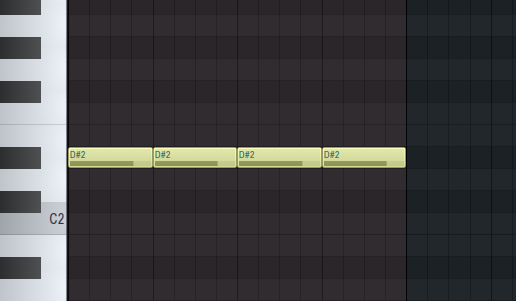
First thing you want to do is open your piano roll and place your notes on the standard four on the floor anywhere in the range of D2 to A#2. I find those are the notes where the sub bass sounds the best but by no means is it a rule it is just what I recommend for a fat hard hitting kick.
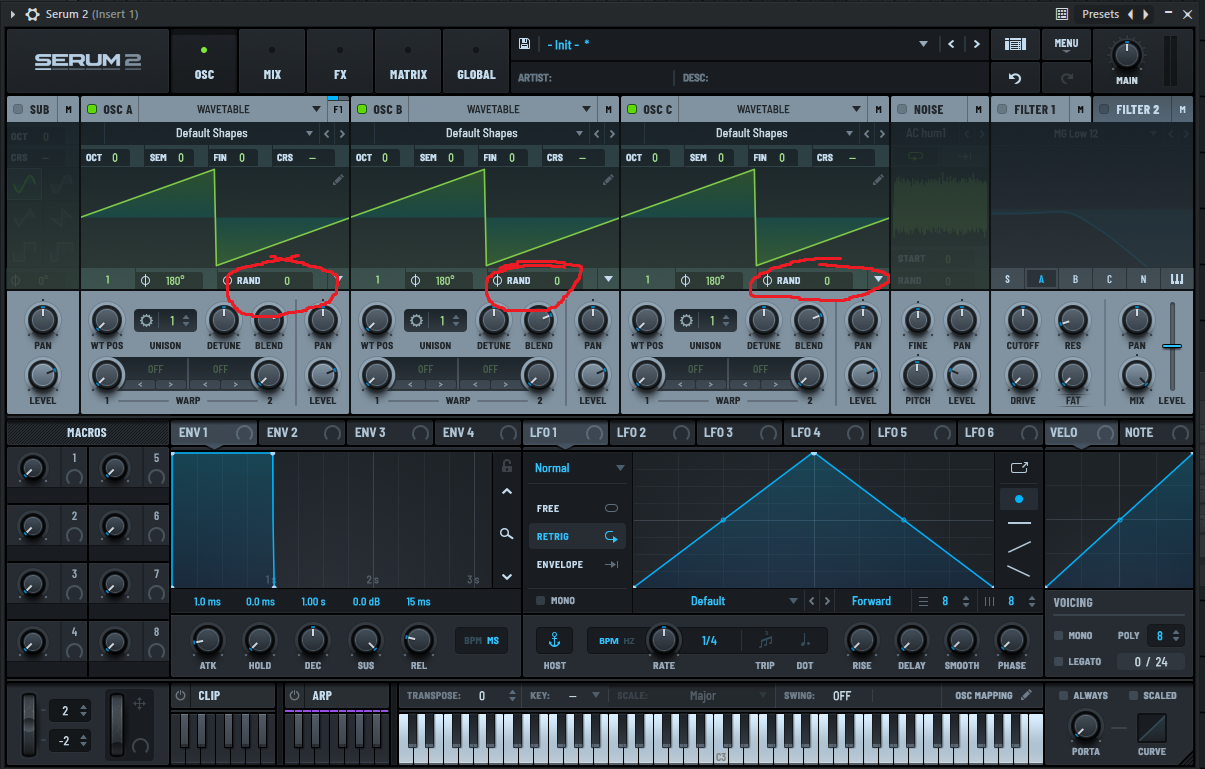
Next step, open Serum and enable all oscillators. and after that it is very important that you turn the randomization to zero on every single one or the kick will sound different every time it is triggered. **You can click on the images for a larger version btw*
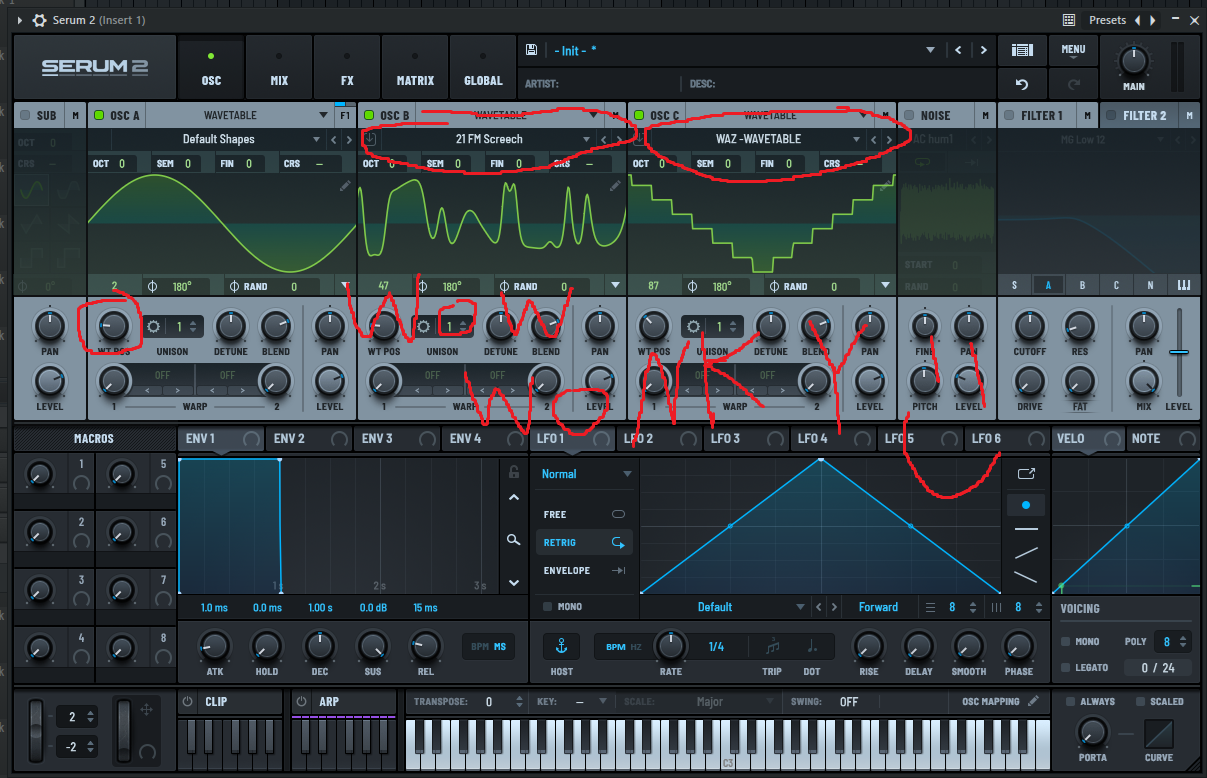
After that we want to change oscillator A to a sine wave, this is where our sub bass is going to come from. An easy way to do this is twist the WT POS knob slightly until the saw changed to a sine. For our other 2 oscillators go through your wave tables until you find a sound you like for each. Generally the crazier looking a wavetable is the better it will be for this as it will provide more information for us to pick from when processing in our fx chain later on.
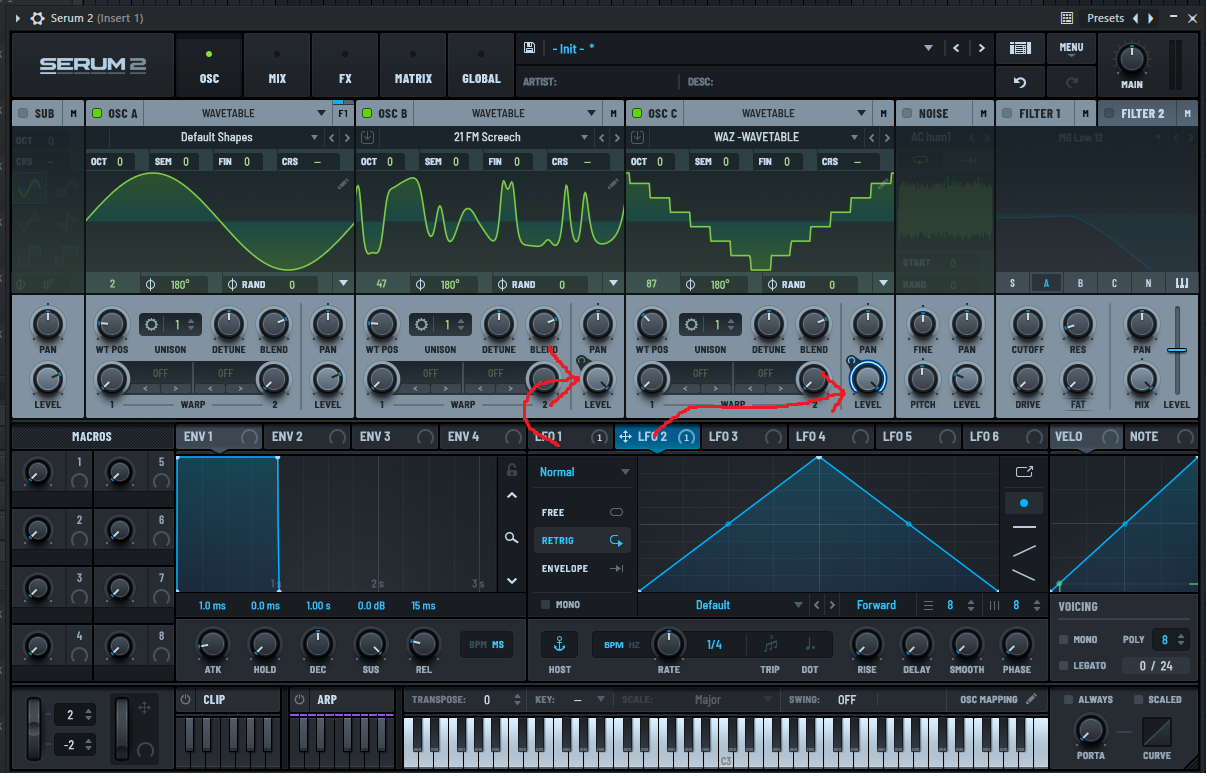
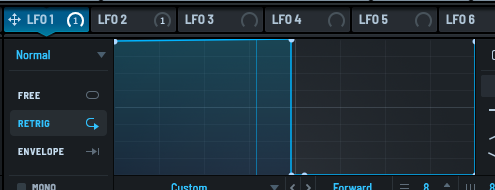
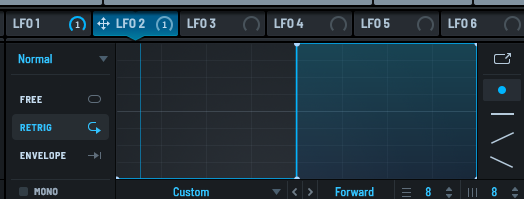
Now that we have our wavetables set up we want to sync an envelope with oscillator B and C. This is where we begin to shape our kick. Simply click and drag the LFO 1 tab and drop it on the level knob of oscillator B. Repeat this step with LFO 2 and oscillator C. (you can also do this with osc A if you want more movement in your sub bass although I personally prefer to have a solid wall of sub bass on my kicks)
Now lets create the punch and tail. This is where the creativity comes in there is no right way to do this. To keep things simple think of the first LFO as providing the punch and the second as providing the tail. The example in the image I've provided below is a pretty simple uptempo bounce shape. I really do encourage you to play around with the envelopes though, you can get some really cool sounding helicopter kicks by going crazy with the tail.
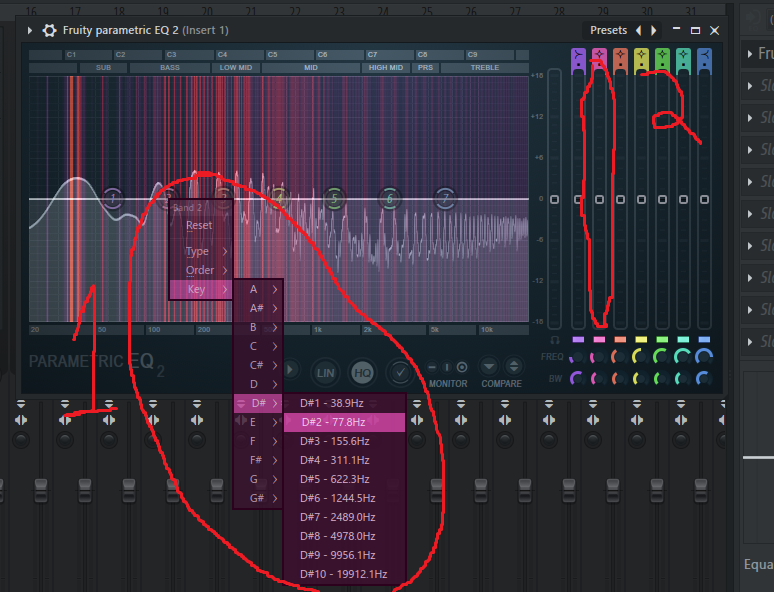
If you've followed everything correctly at this point you should have something that sounds like a synth bouncing up and down but its far from a hardcore kick. This is where our fx chain comes in. Route serum to a mixer channel and add in an EQ as well as a soft clipper. Make sure the soft clipper is the very last thing in your fx chain. Open your EQ and boost your bass as high as it will go. I recommend doing this at the frequency that your kick is in. For example mine is in D# so in fruity eq 2 you can right click, and you can choose the frequency from there and use the slider to boost it without using your lock on the frequency.
After that you simply want to repeat this step at the higher frequency ranges as well as cutting the low/mid range as that those frequencies tend to muddy everything up.
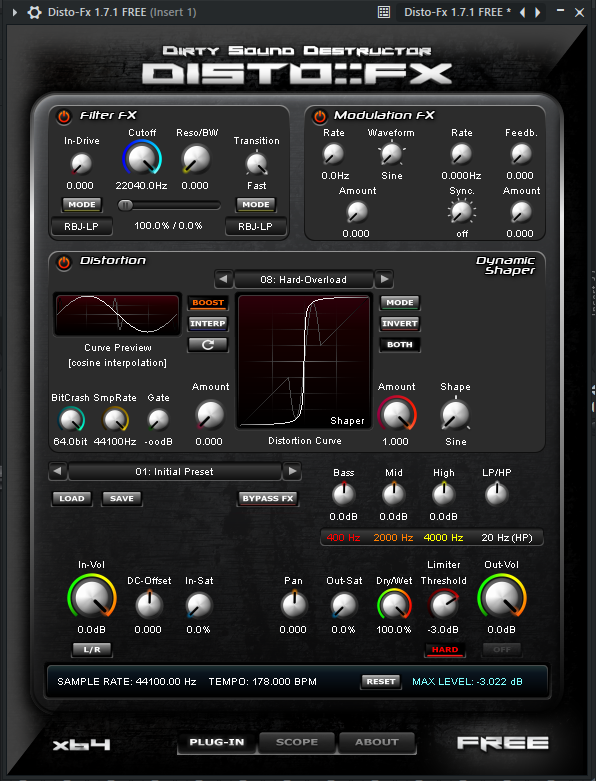
Next, lets add a distortion plugin. I recommend Disto FX as it is free and has a lot of settings although anything would work. I like to use fruity waveshaper as well sometimes.
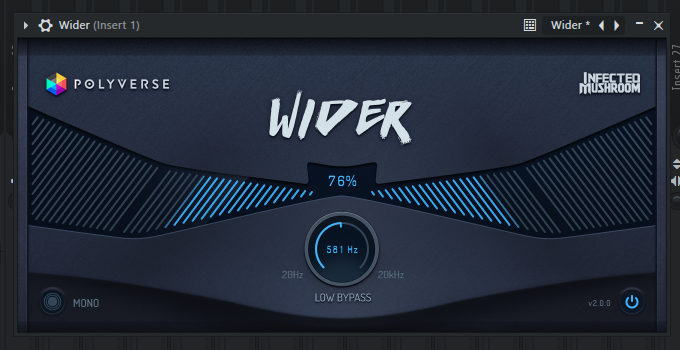
Next lets add a stereo widener to really make our kick take up some space. I like wider it is free and has a low bypass filter which will come in very useful later on. If at the end of our chain our punch is panned to the left or right we can use this to center it.
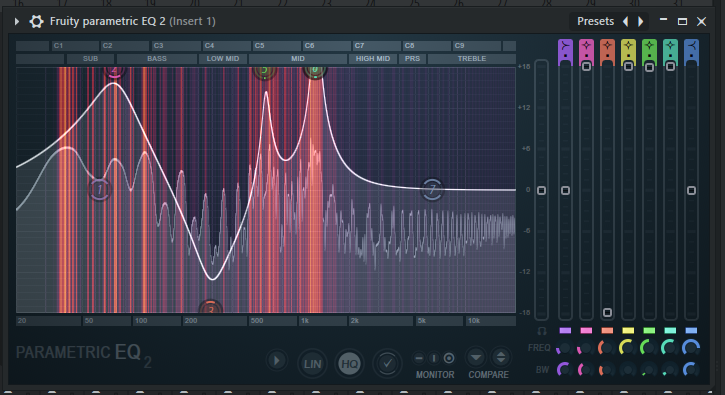
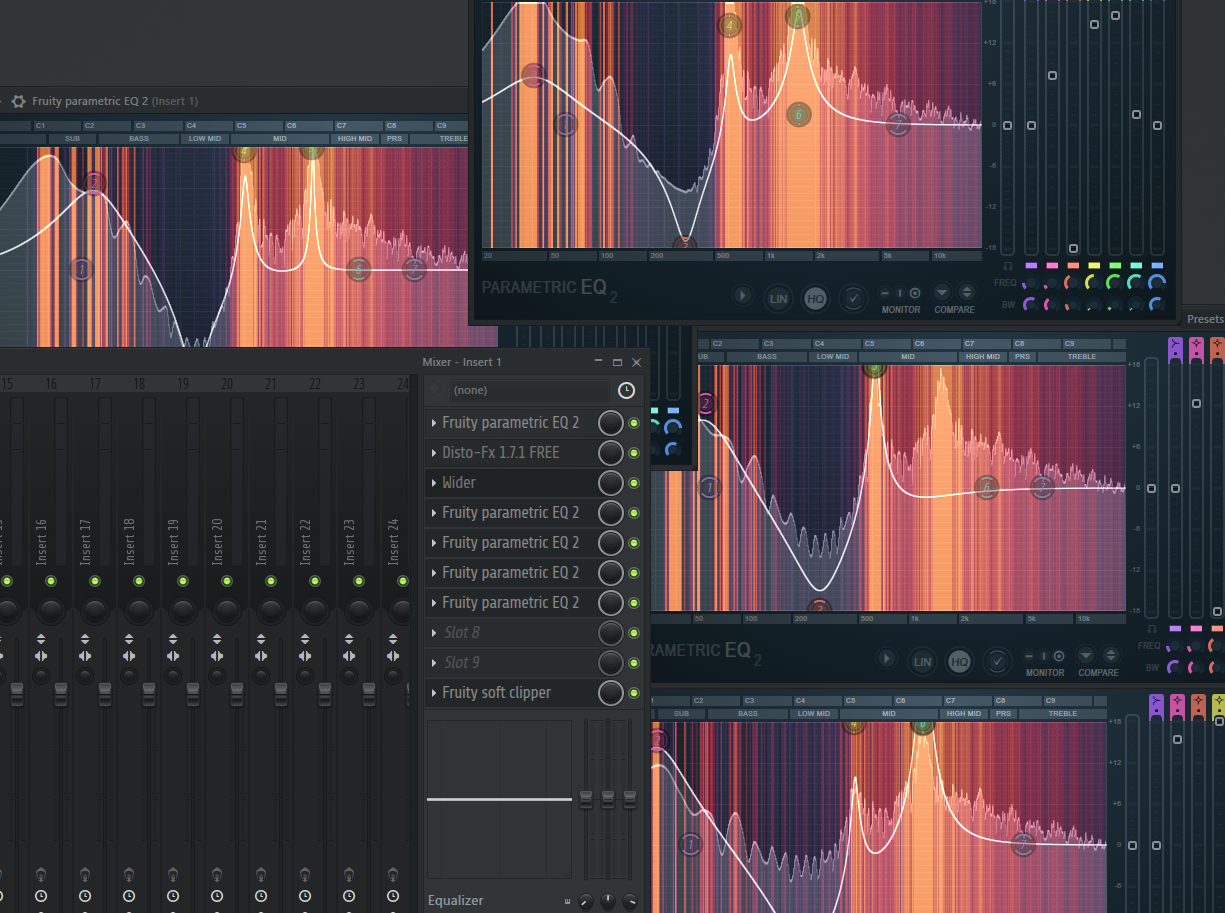
Now for the fun part! We simply want to repeat our first EQ step 3-4 more times to really hone in on the frequencies we like and minimize the ones we dont. With each eq you add you should get something that sounds more and more extreme. You could spend hours on this adjusting and tweaking until you find what you like. Seriously theres no right way to do it just be creative with it! Ur makin teh nazty kiixxxxz!!!! The image below is what my eqs and fx chain looked like at this point.
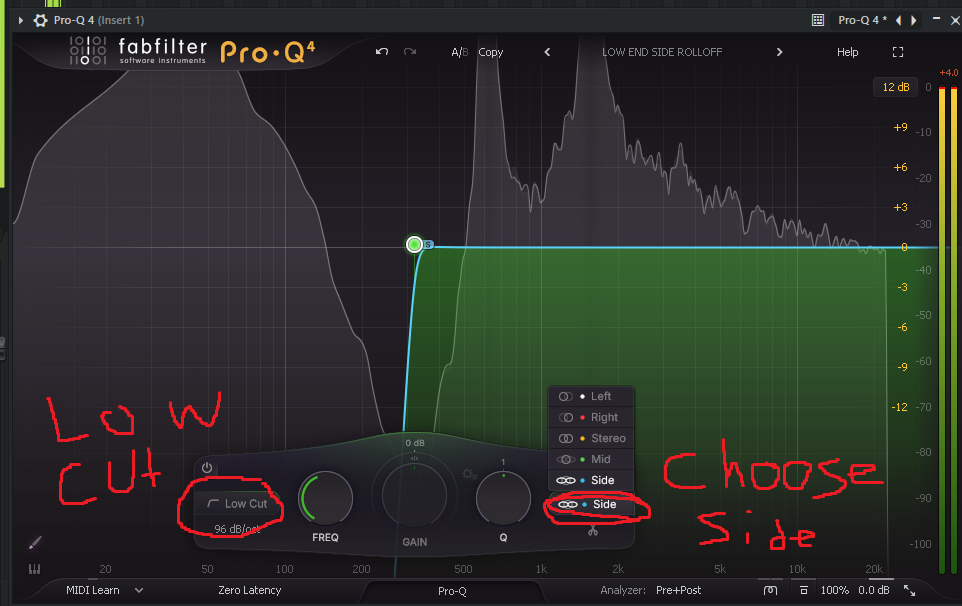
Our final step is to add in a final EQ that we are going to use to cut out all low end frequencies from the L and R channels. We only want our bass to be playing from the center (which is probably the subwoofer on most speaker setups. Pro Q 4 does a great job at this. (if it sounds off after doing this go back and adjust the low bypass filter on your widening plug in)
And that's it! if you have any questions leave a comment in the guestbook and I will do my best to help. Like I said before have fun with it play around with stuff in serum to try and get some crazy sounds there's limitless possibilities with this method. P.S. checkout my hardcore album! I know I already mentioned it but.... it's great and I learned a lot through trial and error making it!!!! :)